













Create
Edit & enhance
AI Lip Sync – Make Any Photo Talk
Upload a portrait, type what it should say or add your own recording, and Krea turns it into a talking video with matching lip movement. Powered by Hedra and VEED Fabric, with ElevenLabs voices.
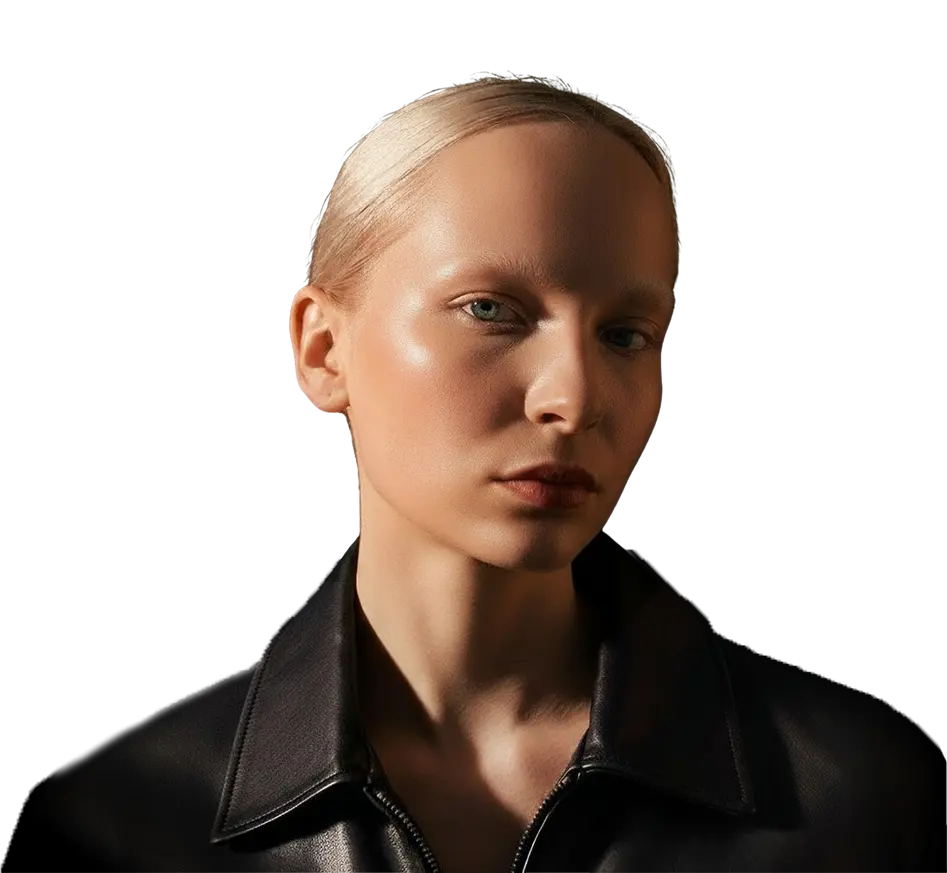 Example photo
 Your photo opens in Krea's lip sync tool, where you add a script or audio and generate. Lip sync needs a paid plan.
How to make a photo talk with AI
Three steps, a few minutes.
- 01
Upload a photo
Choose a clear, front-facing portrait as a JPG, PNG, or WebP. One face, good lighting, and a visible mouth give the most natural results.
- 02
Add a voice
In the lip sync tool, type a script and pick an ElevenLabs voice, upload a WAV, MP3, or OGG file, or record your voice.
- 03
Generate and download
Pick Hedra or VEED Fabric and generate in Krea's lip sync tool, then download the video or run it again with another model.
What is AI lip sync?
A photo and a voice become a talking video
AI lip sync generates a video in which a face speaks along with an audio track. The model reads the sounds in the audio and moves the lips, jaw, and face to match them, so a still portrait becomes a talking photo. It works with real photos, illustrations, and AI-generated characters.
On Krea you start from a single image and either type a script, which ElevenLabs turns into speech, or upload your own recording. Hedra or VEED Fabric then animates the face, and you can run the same photo and voice through each model to keep the take you like best.
Everything a talking photo needs
Photo, voice, and model in one place, with the rest of Krea one click away.
Open the lip sync toolPhoto to talking video
Turn a selfie, headshot, painting, cartoon, or AI character into a talking photo. The mouth follows every word and the head moves naturally with the speech.
Voices and languages
Pick one of 21 ElevenLabs voices and write up to 2,000 characters, or upload or record your own audio. Lip sync follows the sound itself, so speech in any language works.
Video and dubbing
Lip sync starts from a still image. To translate an existing video, Krea's audio tool dubs it into 25 languages in the original voices.
The AI lip sync models behind it
Krea runs three lip sync models. Pick one above, or switch models in the lip sync tool to compare takes.
Hedra
Hedra's lip sync model animates a face from one photo and an audio track at 720p. The default model and the lowest cost per second.
- 720p
- ~28 units / second
- Paid plan
Veed Fabric Fast
A faster version of VEED's Fabric 1.0. Turns any image into a talking video at 480p or 720p.
- 480p / 720p
- ~74 units / second
- Paid plan
Veed Fabric
VEED's Fabric 1.0 turns any image into a talking video at 480p or 720p. The slowest of the three, tuned for quality.
- 480p / 720p
- ~59 units / second
- Paid plan
Costs are compute units per second of video at the lowest resolution; 720p costs more on the Fabric models. Generating speech from a script adds a few units.
What people make with AI lip sync
A talking photo is the fastest way to put a face to a message.
UGC-style ads
Give a spokesperson or creator-style character a script and test several hooks without booking a shoot.
Dubbing and localization
Record or generate the same line in Spanish, Hindi, Japanese, or another language and sync it to the same face.
Memes and social posts
Make a pet, a painting, or a reaction image say something for Reels, TikTok, and Shorts.
Education and explainers
Let a historical portrait, a mascot, or a course host present a lesson in their own voice.
Talking avatars from photos
Turn a headshot or an AI character into a talking avatar for intros, announcements, and support videos.
Characters and storytelling
Give dialogue to characters you designed in Krea for animatics, comics, and short films.
AI lip sync: frequently asked questions
Everything you need to know about making photos talk with Krea.
AI lip sync (also written lipsync) makes a face in a photo speak along with an audio track. The model listens to the speech, predicts the mouth shape for each sound, and animates the lips, jaw, and head so the still image becomes a talking video. On Krea you give it one photo and either a script or a recording, and Hedra or VEED Fabric renders the clip.
Upload a portrait at the top of this page and click Lip sync this photo. The photo opens in the lip sync tool, where you type a script, upload audio, or record your voice, then generate. It takes a few minutes and needs a paid plan.
The best AI lip sync tool is the one that lets you compare models on your own photo, because results vary by face and voice. Krea runs Hedra, the quickest and cheapest per second at 720p, and VEED Fabric 1.0 and Fabric 1.0 Fast at 480p or 720p, side by side. You can also create the photo, the voice, and follow-up video in the same account.
ChatGPT can write the script, but it doesn't lip sync your own photo to a voice. Draft the lines in ChatGPT, then paste them into Krea's lip sync tool: Krea turns the text into speech with an ElevenLabs voice and syncs it to your photo.
No, lip sync needs a paid Krea plan. Free accounts get 100 compute units a day for image generation and other free tools, but lip sync models aren't included, and a 10-second Hedra clip costs about 278 units on its own. The Basic plan's 5,000 monthly units cover roughly 3 minutes of Hedra lip sync; see Krea pricing.
Use a sharp, well-lit, front-facing photo with one person and a clearly visible mouth, as a JPG, PNG, or WebP. For audio, upload a WAV, MP3, or OGG file with clean speech and no music or background noise. Faces turned far to the side, covered mouths, and group photos give weaker results.
Yes. Upload a WAV, MP3, or OGG recording or record your voice directly in the lip sync tool. If you'd rather not record, type up to 2,000 characters and pick one of 21 ElevenLabs voices.
The video is as long as your audio. Hedra uses up to the first 60 seconds of an MP3 or WAV file. Krea doesn't trim audio for the Fabric models, which bill per second, so longer clips cost more.
Hedra renders at 720p. VEED Fabric 1.0 and Fabric 1.0 Fast render at 480p or 720p, which you choose in the lip sync tool; 720p costs more per second. A sharp source photo matters more for the result than the output resolution.
Lip sync follows the sound of the audio, so it works with speech in any language you upload or record. For generated speech, ElevenLabs reads your script in the language you write it in; the voice tool lists English, Spanish, French, German, Italian, Portuguese, Hindi, Arabic, Japanese, Mandarin, Korean, Indonesian. To translate an existing clip, the audio tool dubs video or audio into 25 languages.
Krea's lip sync models start from a still image, so to re-voice someone from a video, use a clear frame from it as the photo. To translate the speech in a video, the audio tool dubs it into another language in the original voices, but it doesn't change the lip movement. To put a different face into a video instead, try face swap.
Most lipsync clips finish in a few minutes. Hedra is usually the fastest and Fabric 1.0 the slowest, and longer audio or busy times take longer. You can leave the page; the video stays in your lip sync session.
Yes, paid Krea plans include a commercial license, so you can use the videos in ads, client work, and products. Only animate faces and voices you own or have permission to use, and label synthetic media where your platform requires it.
No. Krea doesn't add a watermark to the lip sync videos you generate, so you can download and post them as they are.
Your photo and audio are uploaded to your Krea account and sent to the model provider you pick, Hedra or VEED, to generate the video. Krea checks uploads against its content policy before generating. Read the privacy policy for how Krea stores and uses your data.
For making a photo talk, yes. Krea turns one image plus a script or recording into a lip-synced video with Hedra or VEED Fabric, and lets you create the photo, voice, and follow-up video in the same place. Krea doesn't offer stock presenter avatars or translation that re-syncs the lips in existing footage, so for those workflows a dedicated avatar tool may fit better.
Lip sync models focus on the face and head. For full scenes with camera moves, actions, and dialogue, several models in the AI video generator, such as Veo 3.1, generate speech and sound together with the motion.
The platform that just works
So many AI tools out there but I always come back to Krea. It's really the one AI platform that 'just works'.

FYN
Verified review
Best interfaces in the industry
Krea's interfaces are still the best in the industry. Everything looks and feels so clean and easy to use! Imo the easiest to use gen AI website.

Lynn
Verified review
Fast, simple, always up to date
Ultra fast generations. Extremely simple to use. All the latest AI models.

Daniel
Verified review
The only AI subscription I need
KREA is the only AI subscription I have right now besides ChatGPT.

Sophia M.
Verified review
New models the same day
I'm a Krea Max user. It's crazy how fast they add models. I see a new AI model on twitter and the same day krea already offers it.

Wirot Ch.
Verified review
The most powerful creative suite
Still the most powerful AI creative suite out there.

Gravion
Verified review
Make your first talking photo
Upload a portrait, add a voice, and get a lip-synced video in a few minutes.
Related tools
Make the photo, the voice, and the rest of the video with Krea.
Lip sync tool
The full workspace: record audio, rerun takes, and keep your history.
AI voice and dubbing
Generate voiceovers, translate clips, and change voices.
Image to video
Animate the photo with camera and body motion.
AI video generator
Generate videos with sound from text or images.
Face swap
Swap a face into any photo with AI.
Image enhancer
Sharpen and upscale a portrait before you animate it.
Video upscaler
Upscale your lip sync video for a crisper export.