AI Face Chart Generator: Transfer Makeup Online
Face Chart Generator & Makeup Transfer turns mood references into a technical, annotated face chart with precise placement notes. Then it applies the same makeup design to a portrait for a controlled, reference-driven beauty result. Generate a clear blueprint and a polished final image in one professional workflow.
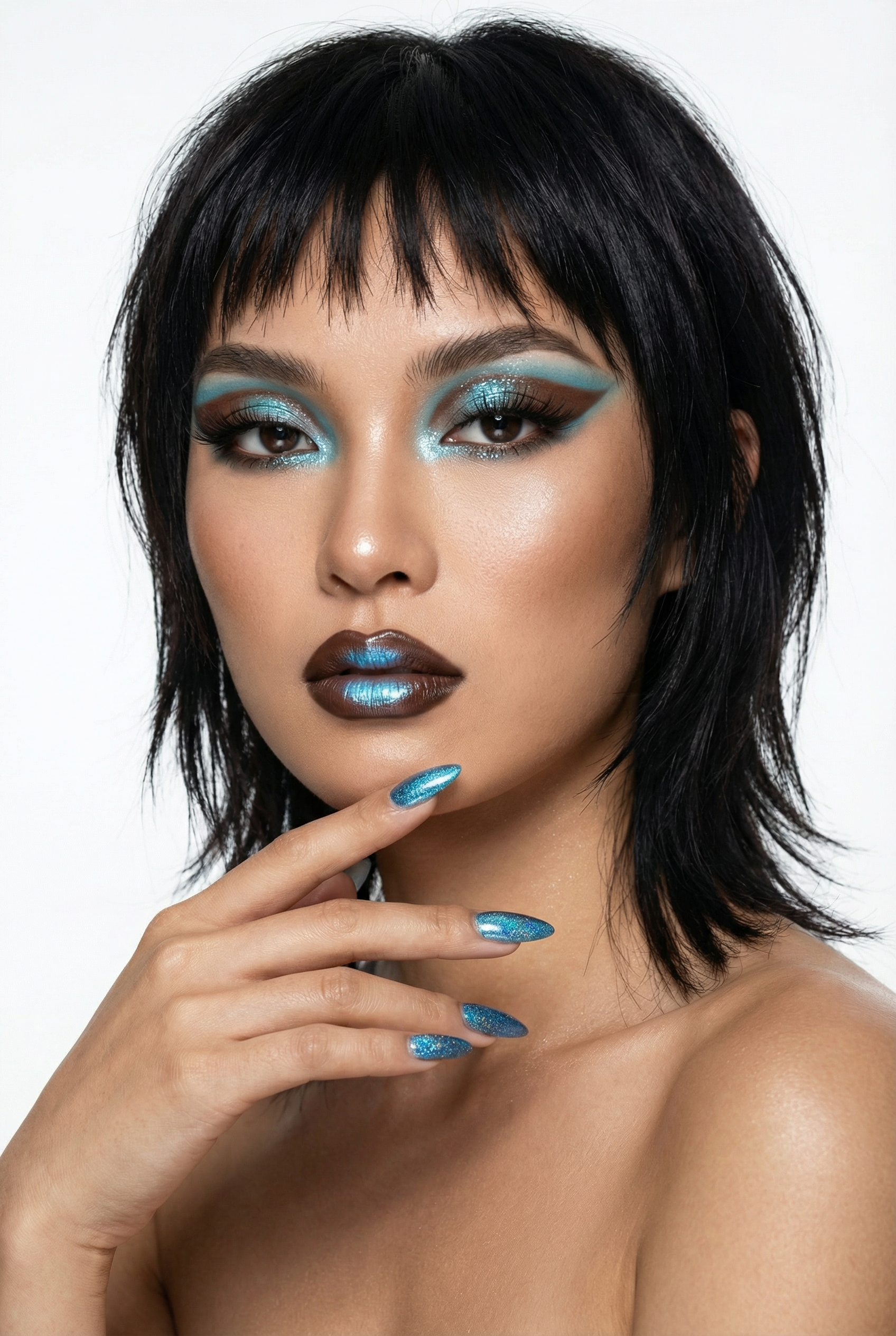
Example output
Upload mood references and a portrait to generate an annotated face chart, then apply the same makeup plan to your model. Follow these steps to keep results consistent and reference-driven.
How to use Face Chart Generator
Create a face chart and transfer makeup in minutes
1 Upload References
Add mood images that define colors, shapes, and finishes, then upload a portrait. The tool reads your references to guide a consistent makeup direction.
2 Generate Face Chart
Create a technical face chart with labeled zones and placement details for eyes, lips, cheeks, and highlight. Review annotations to confirm coverage and symmetry.
3 Transfer to Portrait
Apply the charted design to your portrait for a clean, reference-matched makeup transfer. Export both the blueprint face chart and the final beauty render.
Reference-driven face charts and makeup transfer
Generate technical face charts from mood images, complete with annotated placement guidance for a reliable makeup plan. Then transfer the same design onto a portrait to produce a polished beauty result. Keep styling controlled, consistent, and easy to iterate, from blueprint to final render in one streamlined workflow.
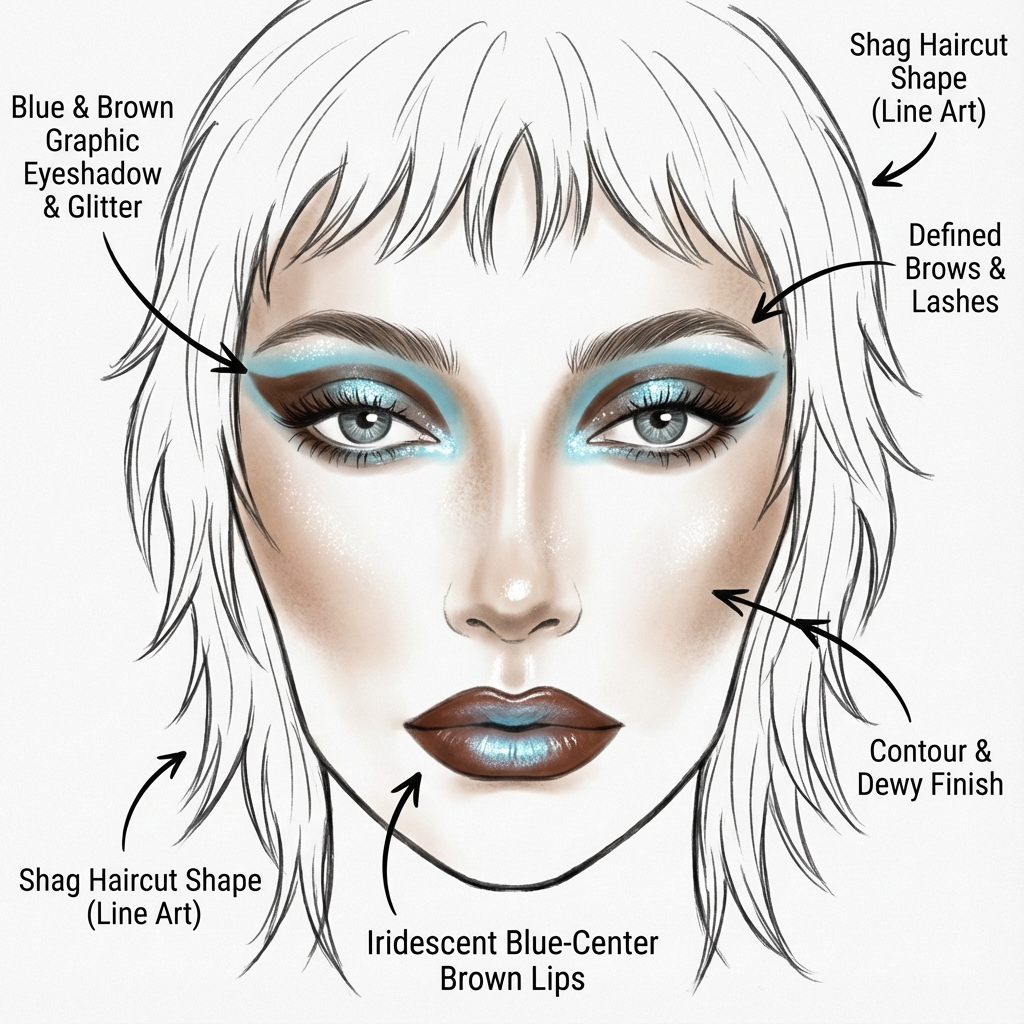
Annotated Technical Face Charts
Turn mood references into a clear face chart with labeled regions and placement notes. Get structured guidance for eyes, lips, contour, blush, and highlight for repeatable looks.
Makeup Transfer to Portrait
Apply the face chart design directly to a model image for a consistent, reference-matched result. Preserve intended color, shape, and balance while keeping a clean beauty finish.
Fast Iteration, Controlled Output
Adjust references and regenerate to refine placement and intensity without starting over. Compare blueprint and final render side by side to validate decisions and keep production on track.
Who is Face Chart Generator & Makeup Transfer for?
Discover how different users leverage this AI tool to enhance their creative workflow.
Beauty Pre-Production Planning
Build a precise makeup blueprint from mood references before applying anything to a model. Reduce guesswork with annotated placement details and consistent visual direction.
Editorial and Campaign Mockups
Generate polished beauty looks for concept boards and approvals. Share the technical face chart plus the final portrait render to communicate intent clearly.
Consistent Looks Across Images
Transfer the same makeup design across multiple portraits for cohesive sets. Keep shapes and color placement aligned while iterating quickly on intensity and finish.
Why Choose Face Chart Generator & Makeup Transfer?
Get a professional, reference-driven makeup workflow that produces both the technical face chart and the final applied portrait. Clear annotations improve consistency, while fast regeneration supports iteration without losing the intended design direction.
Getting Started
Upload mood images, then add a portrait. Generate the annotated face chart, review placement notes, and transfer the look to your model—export the blueprint and final render in minutes.
Trusted by over 30 million users and companies worldwide. Krea is one of the world's leading generative AI platforms.
Intuitive, powerful, and free. See what others say about Krea.
Read our testimonials
So many AI tools out there but I always come back to Krea. It's really the one AI platform that 'just works'.

FYN
Krea's interfaces are still the best in the industry. Everything looks and feels so clean and easy to use! Imo the easiest to use gen AI website.

Lynn
Ultra fast generations. Extremely simple to use. All the latest AI models.

Daniel
KREA is the only AI subscription I have right now besides ChatGPT.

Sophia M.


Frequently asked questions
Quick answers about face chart generation, makeup transfer, and exporting results.
Upload mood references and a portrait to generate an annotated blueprint and a polished beauty result.
Create your face chart and transfer the look
Explore More AI Tools
Discover other powerful AI tools on Krea to enhance your creative workflow.
Generate high-quality images with state of the art models
- AI Image Generator – FLUX.1 Krea
Generate images with FLUX.1 Krea for free
- AI Image Generator – Wan 2.2
Generate images with Wan 2.2 for free
- AI Image Generator – Qwen
Generate images with Qwen for free
- AI T-Shirt Design Generator
AI T-Shirt Design Generator - Create Custom Shirt Designs Free
- Upscale Image
Upload as photo and let Krea boost its quality up to 8K resolution.
- AI Polaroid Photo Generator
Create Polaroid photos with AI
Generate videos with AI
- AI Video Generator – Sora 2
Generate videos with Sora 2
- AI Video Generator – Veo 3.1
Generate videos with Veo 3.1
Edit images with AI: turn photos into cartoons, remove text, change styles and more
- Nano Banana Pro Editor
Edit Images with Nano Banana Pro
- Text Remover
Remove Text From Images for Free - AI Text Removal Tool
- AI Hairstyle
AI Hairstyle Changer - Try Haircuts & Hair Styles Online Free
- Object Remover
Remove objects from images for free.
- Change Lighting
Change lighting in your photos instantly for free.
- Cartoonify
AI Cartoon Generator - Turn a Photo Into a Cartoon for Free
- Colorize
Add vibrant colors to your photos for free.
- Movie Poster
AI Movie Poster Generator
- Clothes Changer
AI Clothes Changer - Free Virtual Try On
- Nano Banana Image Editor
Edit Images with Nano Banana
- Product Photo
AI product photography with people holding products
- Image to Image
Transform any image with AI for free
Community AI Apps
Discover AI apps created by the Krea community
- Hydraulic Press
Watch your favourite item get crushed!
- Behind The Scenes
Transform any image into a cinematic behind-the-scenes video. Upload a photo and watch the app reveal how the moment could have been filmed using dynamic camera setups, props, lighting, and crew movement.
- Hairstyle Changer
Transform your hair into any hairstyle in any color.
- GTA Me!
Upload a photo of yourself and complete the mission.
- Caricature Me
Caricature Me turns everyday photos into bold, expressive caricatures that highlight what makes each face unique. By amplifying defining features while keeping the subject instantly recognizable, the app creates playful portraits that feel personal, funny and a little offensive.
- Cinematic 9-Angle Grid
This app turns a single 16:9 reference frame into a 3x3 collage of nine cinematic angles of the same action, keeping the characters, poses, and lighting while changing only the camera. Powered by Nano Banana Pro for maximum realism and quality.
- Style Transfer with Nano Banana
Transfer the style of the input image into any prompt.
- Gameboy Me
Create a Gameboy style character of yourself or any character you choose, let the app decide your map setting and action as you move through the level
- Hair Tattos
Upload your logo or any shape the app will realistically shave it onto the horse. No horses were harmed <3
- On Set Selfie Generator
Generates POV selfies with actors from your chosen TV show or movie. Input your portrait + specify the show/film → outputs a realistic on-set selfie moment as if you're there with the cast. Perfect for fan content or immersive behind-the-scenes vibes.